Introduction to PharmK-AI
ADMET stands for Absorption, Distribution, Metabolism, Excretion, and Toxicity—key pharmacokinetic and safety properties determining a drug's success in human body systems. In drug discovery, even if a compound shows strong activity against a target, poor ADMET properties can lead to failure in clinical trials. Therefore, early evaluation of ADMET is essential for developing safe and effective drugs.
PharmK-AI is a machine learning-based tool designed and tailored for fast, scalable, and accurate prediction of ADMET properties of small molecules. It is highly precise and can screen up to one lakh molecules per batch. It uses Chemprop-RDKit architecture with a Graph Neural Network for the predictions.
PharmK-AI enables drug discovery researchers to rapidly assess and prioritize molecular candidates based on predicted ADMET profiles. Its combination of speed and accuracy makes it an excellent choice for virtual screening and various R&D workflows.
A Step-by-Step Guide to Execute the Tool
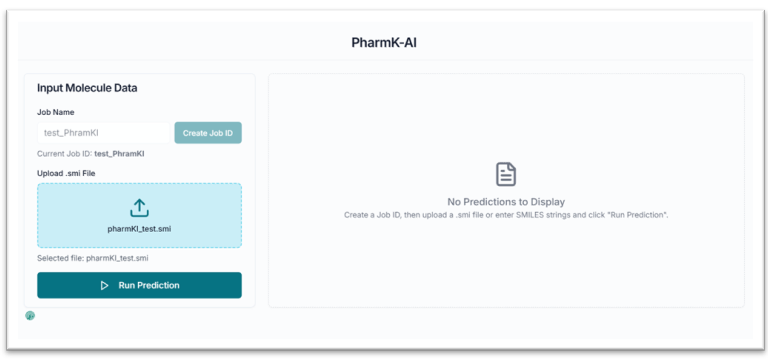
Before executing the tool, you must create a Job ID. You can customize this ID or click the "Create Job ID" button to have one generated for you automatically.
TIP: Without creating a JOB ID, you will not be able to access any options of the tool.

This is the PharmK-AI tool's application workspace page, where various options for exploring and screening compounds based on ADMET properties are displayed. This tutorial will explain each option in detail.
Uploading Your File and Running Predictions
After creating the JOB ID, you have to upload your file in the "Upload .smi File" section as shown in the below image.
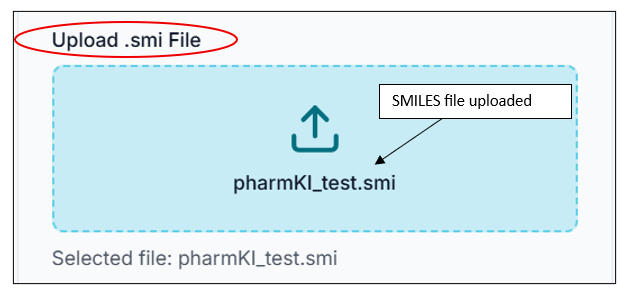
For submitting the ADMET analysis, simply click on the "Run Prediction" button.

Viewing and Filtering Results
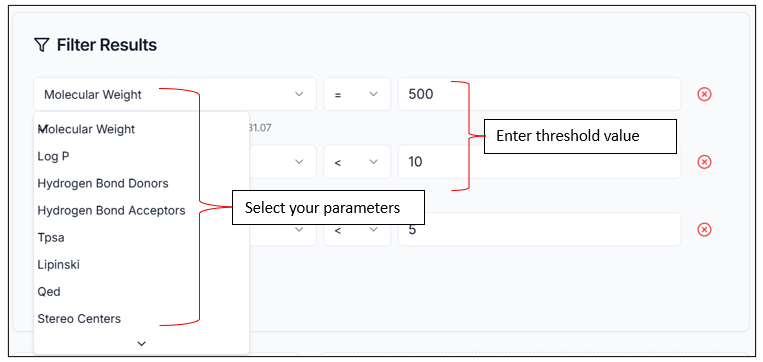
In a fraction of a second, your results will be displayed in the Results pane. You can sort and filter your results according to your needs, and add various thresholds for different ADMET properties to tailor your results as per your study objective.
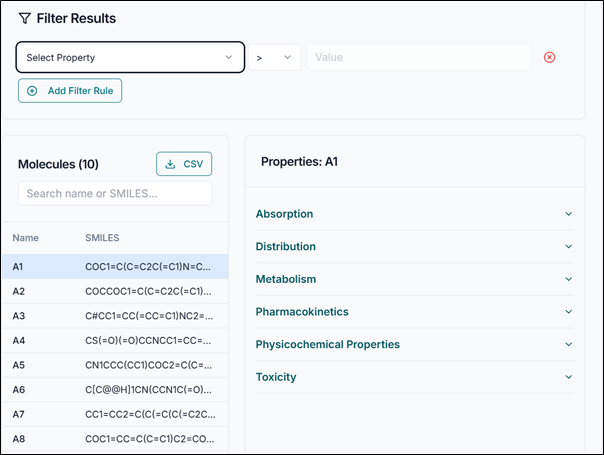
You can add filters to various ADMET parameters from the "Filter Results" section, give a customized range value you want to use, and filter your results. The image below depicts the Filter section with multiple parameters selected and their respective thresholds.
Viewing Detailed Properties and Downloading Data
You can view the filtered results in the pane below. This section displays information about each predicted molecule along with its name and SMILES. You can also select any one molecule individually to see its detailed ADMET properties along with their respective values, as shown in the image below for molecule A1.
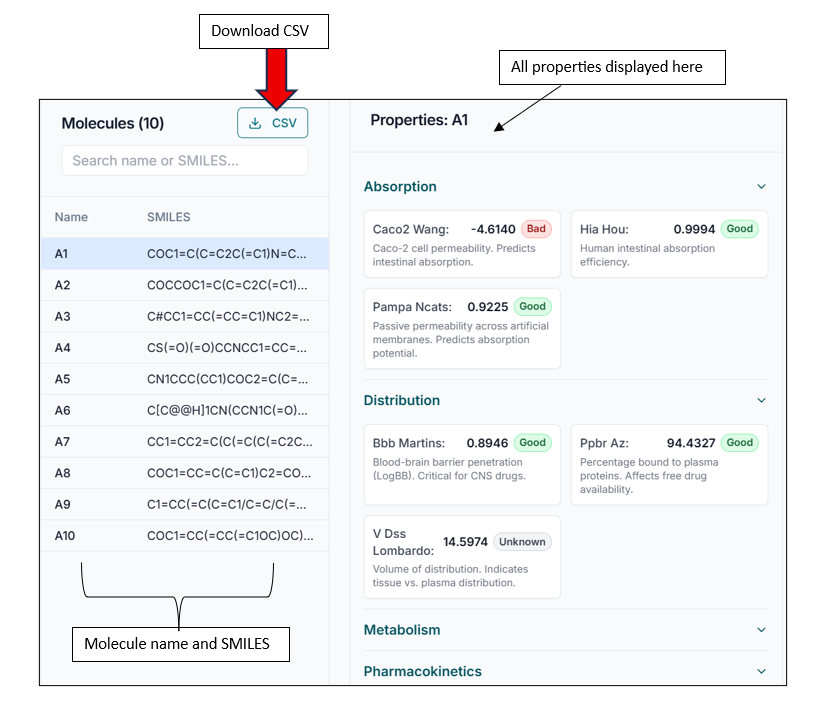
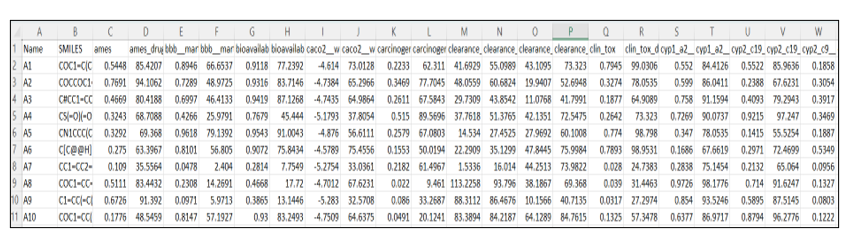
You can also download the entire results as a CSV file by clicking on the CSV option on the window. The downloaded CSV will look as shown in the image below, with compound names, all the ADMET parameters, and their values.