
Introduction to DiffuseBind
DiffuseBind represents a cutting-edge approach to protein-ligand binding pose prediction, utilizing a sophisticated deep learning architecture based on a diffusion generative model. Rather than relying on traditional docking and scoring methods, DiffuseBind learns the complex, joint probability distribution of both ligand conformations and their corresponding protein binding sites.
Through an iterative denoising process, the model starts with a random pose and progressively refines the ligand's position and orientation, guiding it into a physically valid and energetically favourable conformation. By holistically integrating both the structural information of the protein and the chemical features of the ligand, DiffuseBind is able to generate highly accurate and realistic binding poses, offering a powerful and innovative tool for structure-based drug discovery.
A Step-by-Step Guide to Execute the Tool
Before executing the tool, you must create a Job ID. You can customize this ID or click the "Create Job ID" button to have one generated for you automatically.
TIP: Without creating a JOB ID, you will not be able to access any options of the tool.

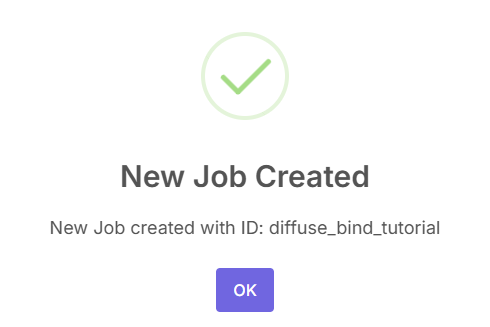
After creating the job ID, a pop-up will be shown that the job has been created.
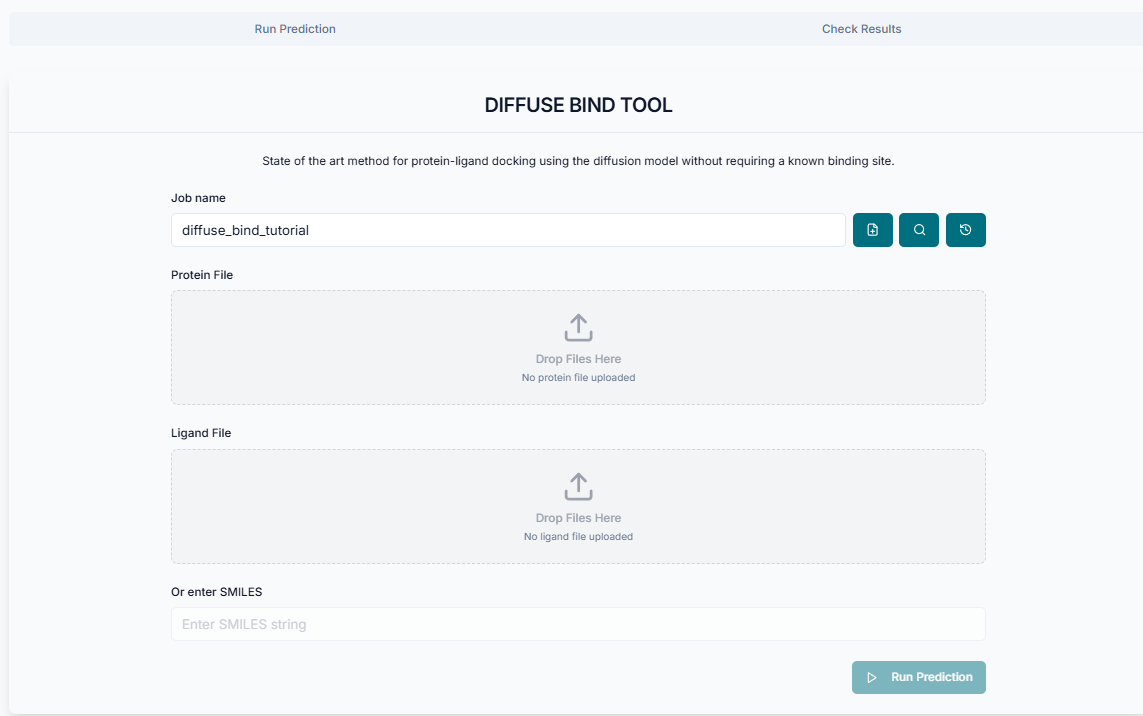
This is the DiffuseBind tool's application workspace page, where various options for setting up and running protein-ligand binding pose predictions are provided. This interface allows you to input your target protein structure and the ligand of interest, define the specific binding pocket, and customize parameters for the generative process. This tutorial will explain each option in detail, guiding you through the steps required to generate accurate binding conformations for your molecular system.
Providing Input and Running Predictions
After creating the job ID, upload the protein in .pdb format and the ligand in .sdf format or as a SMILES string.
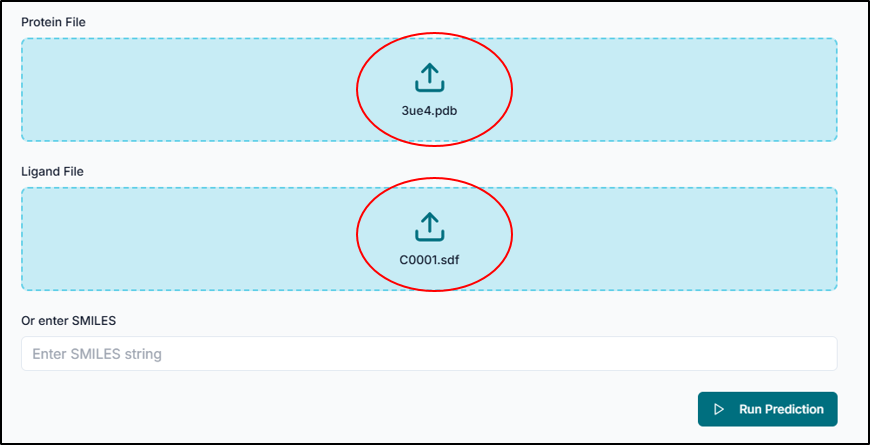
After uploading the protein and ligand files, click on "Run Prediction".
Analyzing the Results
After completion of predictions, the results file can be viewed and downloaded as a zip file by fetching the job ID.
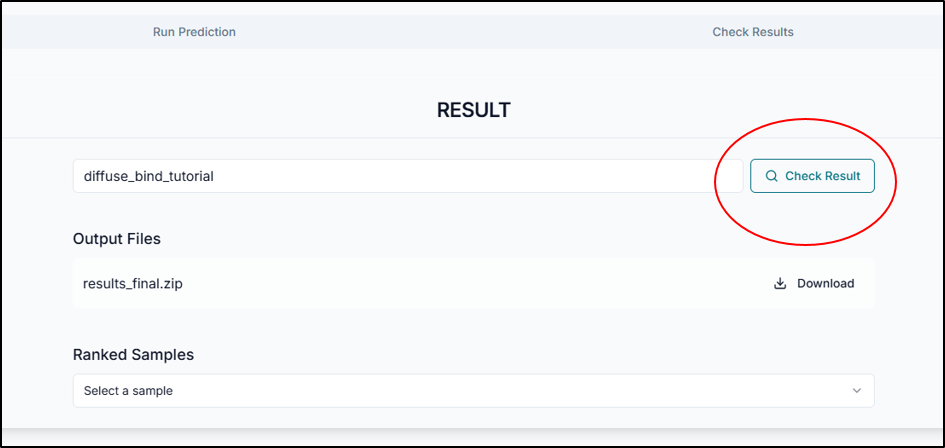
By looking into the dropdown of the ranked samples, the top-ranked poses will be displayed.
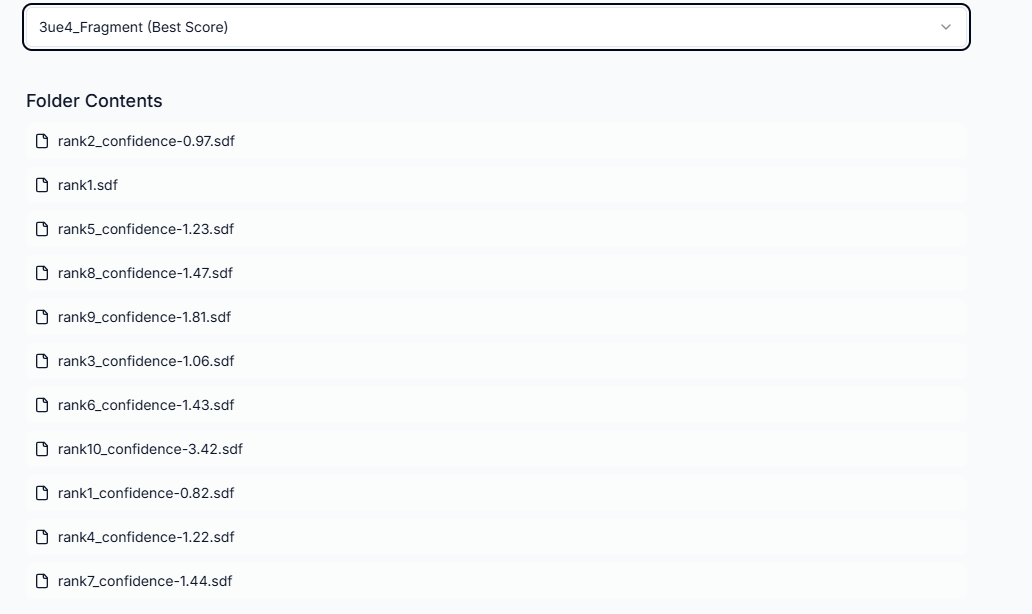
With the DiffuseBind tool, each generated binding pose is evaluated and assigned a predicted binding affinity. This value reflects the model's confidence in the pose and its predicted energetic favorability. A lower (more negative) score typically indicates a high-confidence, stable binding interaction, while a higher score suggests a less likely or weaker binding. Therefore, by using the DiffuseBind tool to generate and rank these potential conformations, the binding pose prediction is completed successfully.